How to connect OKX Wallet to Hyperliquid
Verified against Hyperliquid docs: How to start trading and Hyperliquid docs: Referrals · by Hyperliquid Academy
Two different OKX products
Most of the trouble on this page comes from one ambiguity, so it is worth settling before any steps.
The OKX exchange account is custodial. You log in with an email and a password, OKX holds the assets, and there is no address that belongs to you.
OKX Wallet is self-custodial. It has a recovery phrase, an address, and it signs transactions. It happens to be built by the same company and to live behind the same app, which is exactly why the two get conflated.
Only the second one can connect to Hyperliquid. Your Hyperliquid account is a wallet address, and an exchange login does not have one.
Connecting
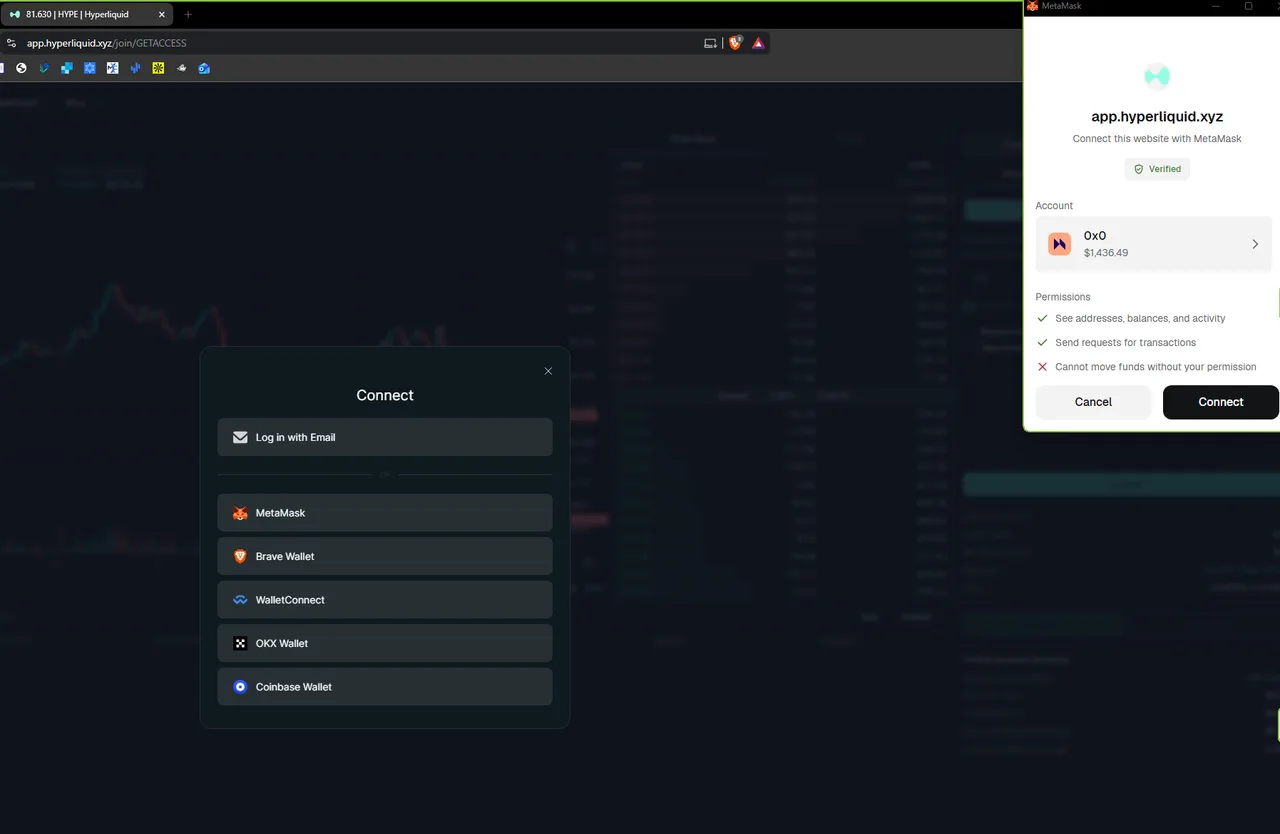
OKX Wallet is one of the six buttons in the connect dialog, so this is the short version of the flow rather than a workaround.
The step that expires
A referral code attaches only to a wallet that has never traded. After your first fill the 4% fee discount is gone on that address permanently, so open the app through the link before you place anything.
-
Install OKX Wallet and back up the recovery phrase
Install from your browser’s own extension store, never from a link. Write the phrase down before funding anything: whoever holds it holds the money, and nothing about that is reversible.
You should see the extension unlocked, and the phrase written on paper
-
Open the app through a referral link
The code applies automatically. You can also type it on the referrals screen. Either way, before the first order.
You should see an invitation panel naming the code, before you have connected
-
Click Connect, then OKX Wallet
No QR code and no pairing on desktop. If nothing opens, another extension may be holding the injected-wallet slot; disable it or use OKX Wallet in a browser profile of its own.
You should see the OKX extension asking to connect, then your address in the top-right corner
-
Accept the terms, then sign them
Accepting the Terms of Use and cookie policy is recorded as a signed message rather than just a click. It costs no gas. Check the request comes from app.hyperliquid.xyz.
You should see two ticked checkboxes, then a signature request of type Hyperliquid:AcceptTerms
-
Click Establish Connection and sign the agent approval
A second gas-free signature, of type ApproveAgent. It authorises order placement through an agent key and cannot move funds out of your account.
You should see the order ticket becoming active
The full sequence with a screenshot at every prompt is on the account guide; it is identical whichever wallet you use.
Getting funds across from the OKX exchange
This is the reason most people arrive on this page, and it is a withdrawal followed by a deposit, not a single transfer.
-
Withdraw USDC from the exchange to your own address
On the withdrawal screen, paste your OKX Wallet address and pick a network Hyperliquid accepts. Arbitrum is the usual choice. The network you pick here has to match the deposit chain you pick later.
You should see USDC arriving in OKX Wallet on the network you chose
-
Keep a little of that network's gas token
The deposit itself is an on-chain transfer and needs gas. Trading on Hyperliquid does not, but this step does.
You should see enough ETH on Arbitrum to sign one transaction
-
Deposit from the wallet into Hyperliquid
Open the deposit window, select USDC and the same chain, and confirm. A fee of 0.2 USDC is deducted from the amount, as the window states. The Arbitrum route in detail.
You should see a USDC balance on your Perps account within a few minutes
Match the token as well as the network
Sending a bridged or wrapped USDC variant to the deposit address is the failure that costs people the most, because the network looks right. Send native USDC on a supported chain, and send a small test amount the first time.
What it costs once you are trading
Cost of a $10,000 taker order as each discount is added
- Base rate, no discounts $4.50 0.045% Tier 0, nothing staked
- With referral code $4.32 0.0432% 4% off, applies from trade one
- Referral + Silver staking $3.67 0.03672% Over 1K HYPE staked and linked
- Referral + Diamond staking $2.59 0.02592% Over 500K HYPE staked and linked
- Everything, at the top volume tier $1.38 0.01382% Over $7B of 14-day volume as well
Nothing about the wallet touches this. At the entry tier a taker order costs 0.045% of notional, or 0.0432% with a code applied before the first trade. The larger lever is trading as a maker rather than a taker, which the fee guide ranks against everything else.
Troubleshooting
The chooser opens a different wallet. Two extensions are competing for the injected slot. Disable the other one, or keep OKX Wallet in a separate browser profile.
Connected but the site still shows disconnected. Remove the site from the wallet’s connected-sites list, refresh, connect again.
Withdrawal from the exchange has not arrived. Check the transaction on the network’s explorer using the hash OKX gives you, then check your wallet is set to that network. A wallet showing nothing is usually a wallet looking at the wrong chain.
Deposit sent, no balance on Hyperliquid. Check whether it landed in Spot rather than Perps; moving between the two is instant and free. The full checklist covers the rest.
Where to go next
If you have not settled on a wallet, the comparison covers all six options including email login. If security is the priority, Rabby previews what each signature will do before you approve it, which matters on a venue with as many lookalike domains as this one.
Once you are funded, the ten-minute walkthrough takes you to a first position with a stop attached.
Frequently asked questions
Can I connect my OKX exchange account to Hyperliquid?
No, and this is the confusion worth clearing up first. The exchange account is custodial and has no address you control. OKX Wallet is a separate self-custodial wallet, and that is what connects.
Do I need WalletConnect for OKX Wallet?
Not on desktop. OKX Wallet is named in the chooser, so you click it and the extension opens. On mobile, use the browser built into the OKX app, where the same button works.
How do I move USDC from the OKX exchange to Hyperliquid?
Withdraw USDC from the exchange to your own wallet address on a network Hyperliquid accepts, then deposit from the wallet. Choose the network on the withdrawal screen and match it to the deposit chain.
Can I withdraw straight from Hyperliquid to my OKX account?
You can send to an exchange deposit address, but the safer sequence is to withdraw to your own wallet first and transfer on from there. An exchange address that does not support the network or the token will not credit.
Does using OKX Wallet change my fees?
No. Fees are set by your 14-day volume, your staking tier and whether a referral code was applied before your first trade. The wallet has no effect on any of them.
Sources
- Hyperliquid docs: How to start tradinghyperliquid.gitbook.io
- Hyperliquid docs: Referralshyperliquid.gitbook.io
We link the primary source for every number on this page. If a figure here disagrees with the Hyperliquid documentation, the documentation is right and we want to know.
Keep going
- Which wallet works best with Hyperliquid?Getting started
- How to get USDC on Arbitrum for HyperliquidGetting started
- How to create a Hyperliquid account and apply a fee discountGetting started
- How to connect Rabby Wallet to HyperliquidGetting started